
'%3e%3cpath%20d='M15.1003%2043.5001C33.2091%2043.5001%2043.1166%2028.4935%2043.1166%2015.4838C43.1166%2015.062%2043.1072%2014.6307%2043.0884%2014.2088C45.0157%2012.815%2046.679%2011.0886%2048%209.11072C46.205%209.90932%2044.2993%2010.4309%2042.3478%2010.6576C44.4026%209.42594%2045.9411%207.49107%2046.6781%205.21166C44.7451%206.35724%2042.6312%207.16535%2040.4269%207.60134C38.9417%206.02324%2036.978%204.97835%2034.8394%204.62822C32.7008%204.27809%2030.5064%204.64222%2028.5955%205.66431C26.6846%206.68641%2025.1636%208.30953%2024.2677%2010.2827C23.3718%2012.256%2023.1509%2014.4694%2023.6391%2016.5807C19.725%2016.3843%2015.8959%2015.3675%2012.4%2013.5963C8.90405%2011.8251%205.81939%209.339%203.34594%206.29916C2.0888%208.46661%201.70411%2011.0314%202.27006%2013.4723C2.83601%2015.9132%204.31013%2018.047%206.39281%2019.4401C4.82926%2019.3905%203.29995%2018.9695%201.93125%2018.212V18.3338C1.92985%2020.6084%202.7162%2022.8133%204.15662%2024.5737C5.59704%2026.334%207.60265%2027.5412%209.8325%2027.9901C8.38411%2028.3864%206.86396%2028.4441%205.38969%2028.1588C6.01891%2030.115%207.24315%2031.8259%208.89154%2033.0528C10.5399%2034.2797%2012.5302%2034.9613%2014.5847%2035.0026C11.0968%2037.7423%206.78835%2039.2284%202.35313%2039.2213C1.56657%2039.2201%200.780798%2039.1719%200%2039.077C4.50571%2041.9676%209.74706%2043.5029%2015.1003%2043.5001Z'%20fill='%23F7F7F7'/%3e%3c/g%3e%3cdefs%3e%3cclipPath%20id='clip0'%3e%3crect%20width='48'%20height='48'%20fill='white'/%3e%3c/clipPath%3e%3c/defs%3e%3c/svg%3e)


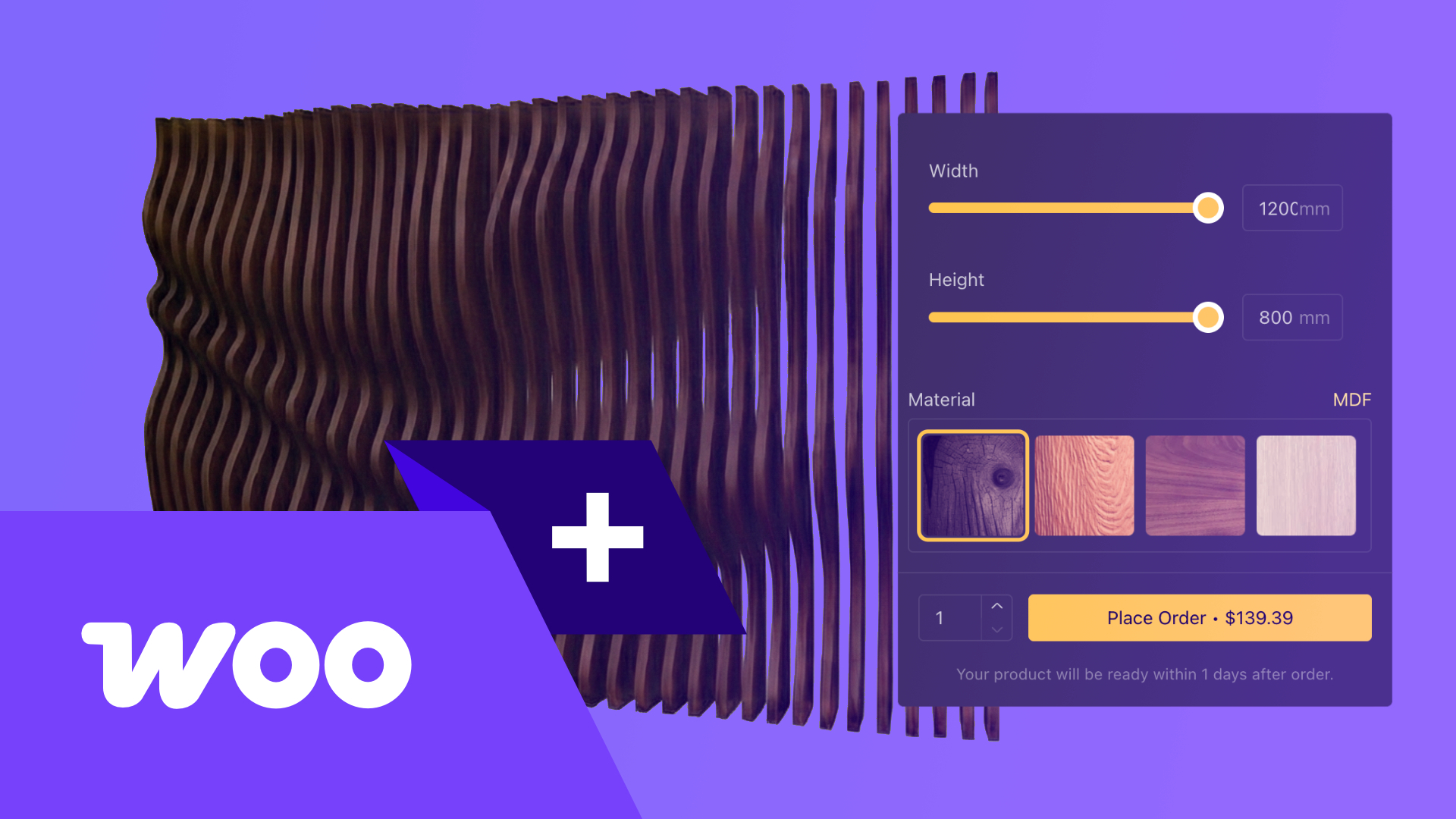
WooCommerce is the go-to ecommerce solution for millions of online stores worldwide, but when it comes to selling customizable products, its built-in tools fall short. If you sell furniture, jewelry, doors, packaging, or any made-to-order item, your customers need more than a handful of dropdown menus. They need a real product configurator — one that lets them visualize, customize, and price their product in real time before placing an order. In this guide, we will walk through why WooCommerce stores benefit from a configurator, the options available, and a step-by-step approach to embedding a powerful 3D configurator using BeeGraphy and Configurator.tech.
WooCommerce: The World's Largest Open-Source Ecommerce Platform
WooCommerce dominates the ecommerce landscape in a way no other open-source platform comes close to matching. According to Red Stag Fulfillment, WooCommerce holds 33.4% of all tracked ecommerce sites and powers over 4.6 million active stores globally. Within the WordPress ecosystem — which itself powers 43.5% of all websites — WooCommerce's dominance is even more pronounced: 93.7% of WordPress ecommerce sites run on WooCommerce, with over 329 million downloads to date.
This massive ecosystem means WooCommerce store owners have access to thousands of themes, plugins, and developer resources. However, one area where WooCommerce has historically lagged behind proprietary platforms is advanced product customization — the ability to let a buyer configure a complex product interactively rather than selecting from predefined variations.
Why WooCommerce Stores Need Product Configurators
WooCommerce ships with a built-in system for product variations and attributes. You can create variable products with dropdowns for size, color, or material. For simple products — a T-shirt in three sizes and five colors — this works fine. But the moment your product becomes parametric (custom dimensions, modular components, conditional options), the limitations are impossible to ignore.
Consider a furniture manufacturer offering a table with adjustable length, width, and height, five wood species, three edge profiles, and optional accessories like cable management trays. In WooCommerce's native system, every unique combination requires a separate variation — potentially thousands of them. Managing that many SKUs is impractical, error-prone, and provides zero visual feedback to the buyer. There is no way for the customer to see what they are actually ordering.
This is exactly the gap a product configurator fills. A well-implemented configurator replaces static dropdowns with an interactive interface where the buyer adjusts parameters, sees the product update in real-time 3D, gets instant pricing, and places their order with complete confidence. The impact is measurable: according to Threekit, stores using 3D configurators see up to 250% higher conversion rates and a 40% reduction in returns. BeeGraphy's own data confirms a 2.5x conversion lift and 35% fewer returns.
Options for Adding a Configurator to WooCommerce
There are three broad approaches to adding product configuration to a WooCommerce store, each with distinct trade-offs:
1. WooCommerce plugins. Several WordPress plugins add extra product options — conditional fields, image swatches, multi-step forms. These are affordable and easy to install, but they are fundamentally limited to 2D form-based workflows. They cannot render a 3D model, apply parametric logic, or generate manufacturing files. For truly configurable products, plugins are insufficient.
2. Custom development. You can hire a development team to build a bespoke configurator from scratch using Three.js or similar WebGL libraries and wire it into WooCommerce. This gives you maximum control, but the cost is substantial (typically $50,000+), timelines stretch to months, and ongoing maintenance becomes your responsibility. For most merchants, this is not viable.
3. Embed-based solutions like BeeGraphy. The most practical path for the majority of WooCommerce stores is to use a purpose-built configurator platform and embed it directly into your product pages. BeeGraphy provides a cloud-based parametric 3D engine that handles real-time rendering, dynamic pricing, and production-ready file output. You design your configurable model once, generate an embed code, and drop it into WooCommerce. No plugin dependencies, no WebGL coding, and it works across every device.
Step-by-Step: Embedding a BeeGraphy Configurator in WooCommerce
Here is how to get a fully interactive 3D configurator running on your WooCommerce product page:
Step 1: Build your configurator. Use BeeGraphy's visual editor (or work with the Configurator.tech team for a done-for-you setup) to create your parametric model. Define adjustable parameters — dimensions, materials, colors, add-ons — and set pricing rules. BeeGraphy handles the 3D rendering, so your customers see photorealistic previews as they customize.
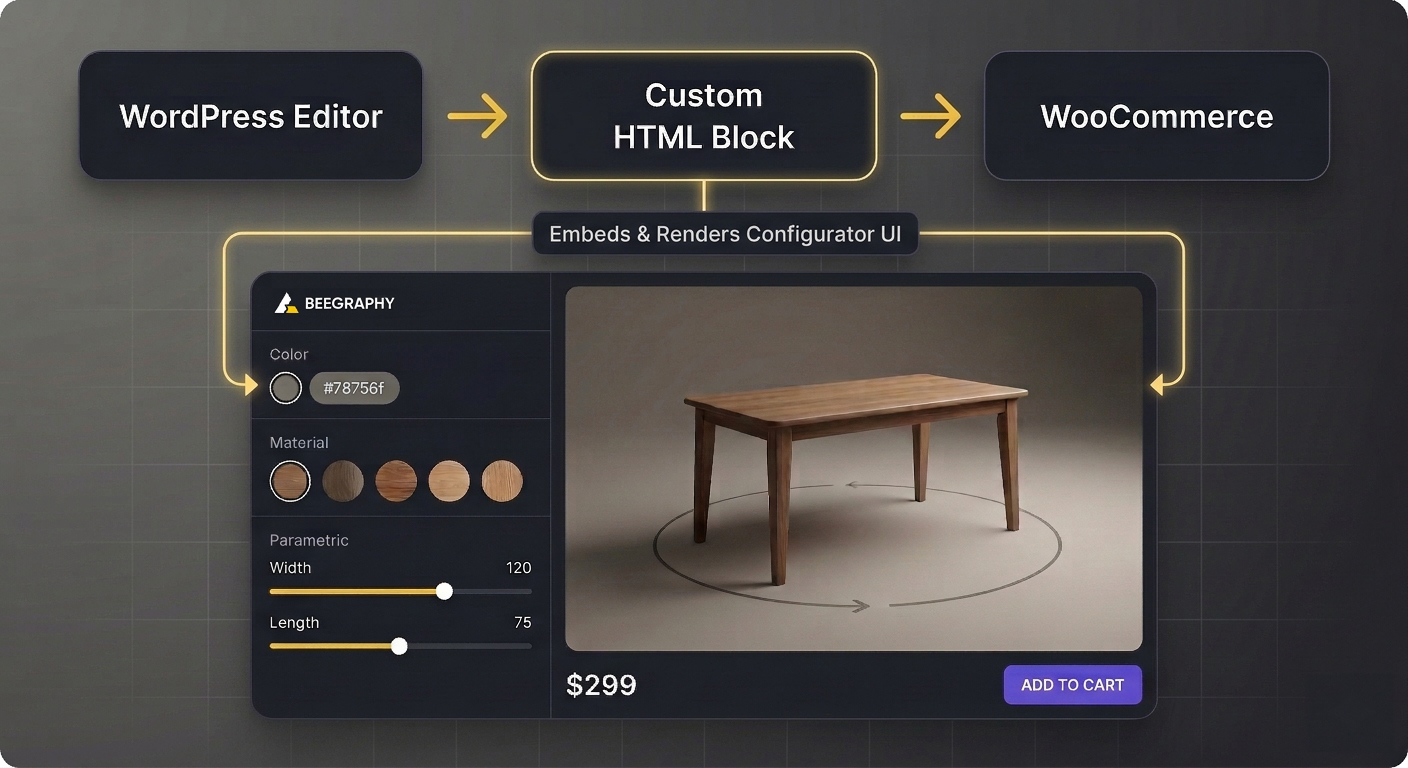
Step 2: Get your embed code. Once your configurator is published, BeeGraphy provides an iframe embed snippet. It looks like a standard HTML iframe tag with your unique configurator ID and optional parameters for dimensions, language, and initial configuration state.
Step 3: Add the embed to your WooCommerce product. In your WordPress admin, navigate to the WooCommerce product you want to enhance. In the product description editor, switch to the HTML or "Custom HTML" block and paste the iframe embed code. You can also use a shortcode plugin if you prefer a reusable shortcode approach. Save and preview — the 3D configurator now appears directly on your product page.
Step 4: Connect pricing. BeeGraphy's embed can communicate the configured price back to your page via JavaScript postMessage events. You can update the WooCommerce product price dynamically based on the customer's selections, ensuring the cart total reflects the exact configuration.
Advanced Integration: API and Webhooks
For stores that need a tighter integration — where the configurator's output flows directly into the WooCommerce cart and order pipeline — BeeGraphy offers a full REST API and webhook system.
Cart integration. Use BeeGraphy's JavaScript SDK to capture the final configuration (parameters, price, thumbnail) and programmatically add it to the WooCommerce cart via the WooCommerce REST API. The configuration data is stored as order item metadata, so your production team sees exactly what was ordered.
Webhook-based order flow. When an order is placed, WooCommerce can fire a webhook to BeeGraphy's API, triggering automatic generation of production files — DXF cut sheets, 3D print STLs, PDF spec sheets, or bills of material. These files are attached to the order or sent directly to your manufacturing system, eliminating manual data entry.
WooCommerce REST API. WooCommerce's own REST API lets you programmatically create products, update inventory, and manage orders. Combined with BeeGraphy's API, you can build fully automated pipelines: a customer configures a product, the order is placed, production files are generated, and the status is synced back to WooCommerce — all without manual intervention.
What You Can Build
With a BeeGraphy-powered configurator embedded in WooCommerce, the possibilities extend far beyond simple color swatches. You can offer parametric products with real-time 3D visualization — custom furniture where the buyer drags a slider to change the table length and watches the 3D model update instantly. You can build jewelry configurators that let customers choose gemstone cuts, ring bands, and engravings with photorealistic rendering. You can implement dynamic pricing that recalculates as options change, so the customer always knows the cost. And you can automatically generate production files — manufacturing drawings, cut lists, 3D models — that flow directly from the customer's configuration into your workshop.
The Configurator.tech Advantage
Building a configurator from scratch is unnecessary when Configurator.tech offers a faster path. Our platform provides prebuilt configurator templates for common product categories — furniture, jewelry, doors and windows, staircases, souvenirs, and more — so you can launch in days rather than months. For complex or unique products, our team handles the full setup: modeling, pricing logic, embed integration, and testing.
Unlike WooCommerce-only plugins, Configurator.tech is platform-agnostic. The same configurator you embed in WooCommerce today works on Shopify, Squarespace, a custom website, or even in a sales team's quoting tool. You invest once and deploy everywhere. Combined with transparent pricing and a production-ready output pipeline, Configurator.tech gives WooCommerce merchants the tools to compete with enterprise-grade product customization experiences — without enterprise-grade complexity or cost.
Ready to add a product configurator to your WooCommerce store? Get in touch for a free consultation, or explore our complete guide to product configurators to learn more about what is possible.