
'%3e%3cpath%20d='M15.1003%2043.5001C33.2091%2043.5001%2043.1166%2028.4935%2043.1166%2015.4838C43.1166%2015.062%2043.1072%2014.6307%2043.0884%2014.2088C45.0157%2012.815%2046.679%2011.0886%2048%209.11072C46.205%209.90932%2044.2993%2010.4309%2042.3478%2010.6576C44.4026%209.42594%2045.9411%207.49107%2046.6781%205.21166C44.7451%206.35724%2042.6312%207.16535%2040.4269%207.60134C38.9417%206.02324%2036.978%204.97835%2034.8394%204.62822C32.7008%204.27809%2030.5064%204.64222%2028.5955%205.66431C26.6846%206.68641%2025.1636%208.30953%2024.2677%2010.2827C23.3718%2012.256%2023.1509%2014.4694%2023.6391%2016.5807C19.725%2016.3843%2015.8959%2015.3675%2012.4%2013.5963C8.90405%2011.8251%205.81939%209.339%203.34594%206.29916C2.0888%208.46661%201.70411%2011.0314%202.27006%2013.4723C2.83601%2015.9132%204.31013%2018.047%206.39281%2019.4401C4.82926%2019.3905%203.29995%2018.9695%201.93125%2018.212V18.3338C1.92985%2020.6084%202.7162%2022.8133%204.15662%2024.5737C5.59704%2026.334%207.60265%2027.5412%209.8325%2027.9901C8.38411%2028.3864%206.86396%2028.4441%205.38969%2028.1588C6.01891%2030.115%207.24315%2031.8259%208.89154%2033.0528C10.5399%2034.2797%2012.5302%2034.9613%2014.5847%2035.0026C11.0968%2037.7423%206.78835%2039.2284%202.35313%2039.2213C1.56657%2039.2201%200.780798%2039.1719%200%2039.077C4.50571%2041.9676%209.74706%2043.5029%2015.1003%2043.5001Z'%20fill='%23F7F7F7'/%3e%3c/g%3e%3cdefs%3e%3cclipPath%20id='clip0'%3e%3crect%20width='48'%20height='48'%20fill='white'/%3e%3c/clipPath%3e%3c/defs%3e%3c/svg%3e)


Squarespace has become one of the fastest-growing ecommerce platforms, powering over 4.4 million live websites according to BuiltWith. Its design-forward approach attracts creative businesses — furniture makers, jewellers, custom apparel brands — who care deeply about how their products look online. Yet Squarespace's native commerce features stop at static product pages with dropdown menus. For brands selling customisable products, that creates a gap between what customers expect and what the platform delivers.
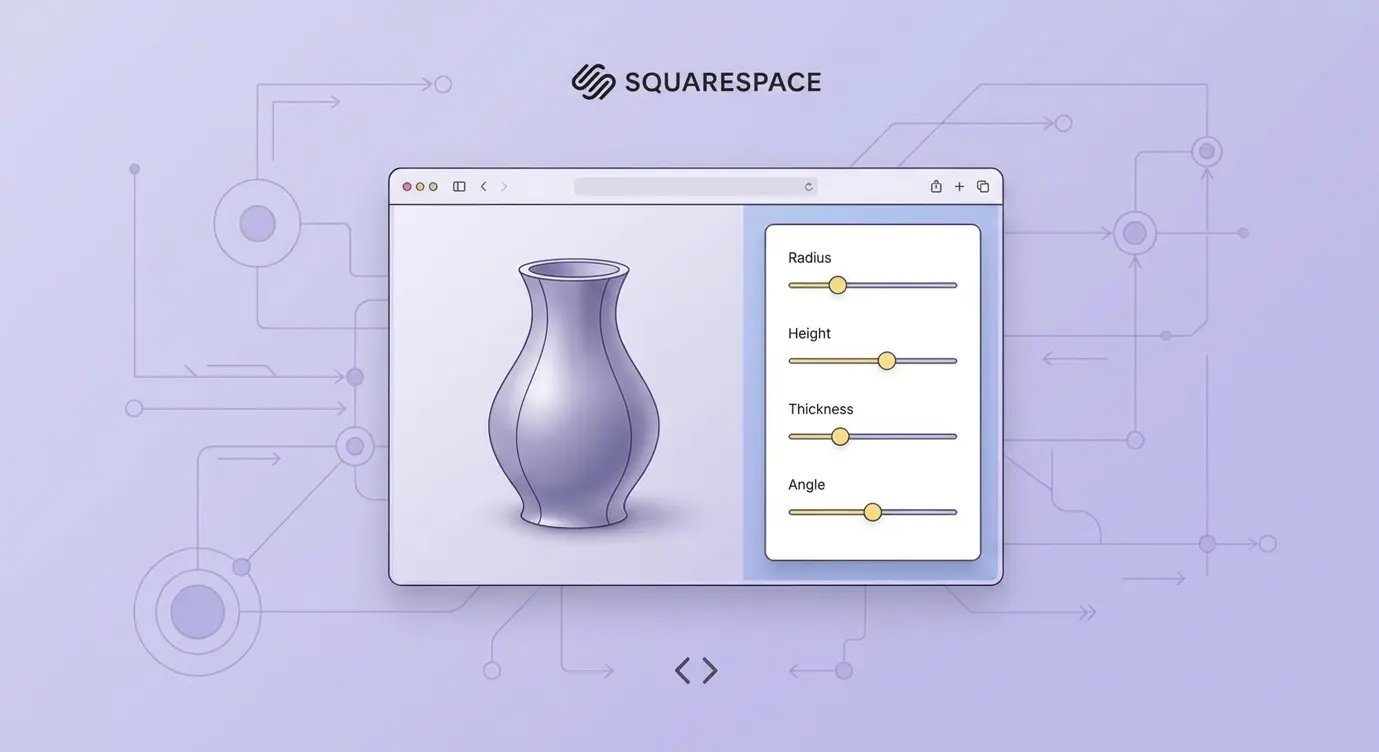
A product configurator bridges that gap. It lets customers interact with a 3D model, swap materials, adjust dimensions, and see real-time pricing — all without leaving your Squarespace store. This guide walks through why Squarespace merchants need configurators, the platform's limitations, and a step-by-step integration process using BeeGraphy's embeddable configurators. If you are new to the concept, start with our complete guide to product configurators.
Why Squarespace Merchants Need Configurators
Squarespace attracts a specific type of merchant: design-conscious brands that sell unique, often customisable products. Think handcrafted furniture, personalised jewellery, bespoke home décor. These are exactly the product categories where configurators have the highest impact. Shopify research shows that products with interactive 3D content see a 94% higher conversion rate than those with static images alone.
For customisable products, the stakes are even higher. Without an interactive tool, customers guess at how their chosen options will look together. They select "walnut" from a dropdown and hope the colour matches what they imagine. When the product arrives and the reality doesn't match expectations, they initiate a return. For made-to-order items, those returns often cannot be resold at all, making each one a direct loss. A configurator eliminates that guesswork entirely — the customer sees exactly what they are ordering before they commit.
Squarespace's Native Limitations
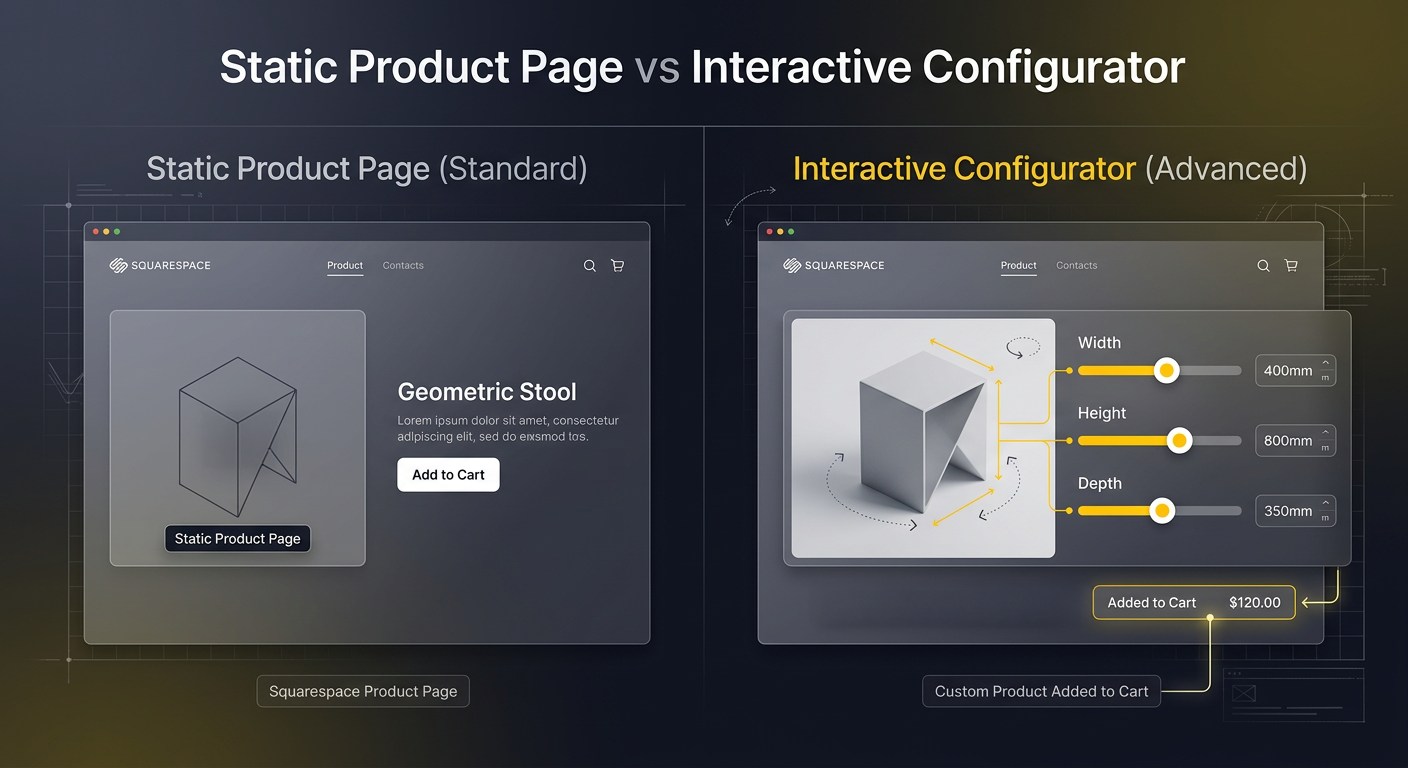
Squarespace offers product variants through dropdown menus and swatch selectors, but these are fundamentally limited for customisation-heavy businesses. You can show different product images per variant, but you cannot show how options combine in real time. A customer choosing between three wood species and four leg styles would need twelve separate product photos — and that number explodes as options increase. Squarespace also lacks parametric capabilities: there is no way to let a customer specify custom dimensions, see the 3D model adjust, and get an instant price quote.
The platform's app marketplace includes some basic customisation tools, but none offer true 3D parametric configuration. Most are limited to 2D text and image personalisation (monograms, engravings) rather than full product design. For brands that need dimensional customisation, material visualisation, and production-ready output, an external configurator embedded into the Squarespace storefront is the proven solution.
Step-by-Step: Adding a Configurator to Squarespace
Squarespace supports custom code injection through embed blocks and the site-wide code injection panel, which is all you need to integrate a BeeGraphy configurator. Here is the process:
- Set up your configurator on Configurator.tech: Start from a prebuilt template or create a new configurator from scratch. Define your product's materials, dimensions, pricing rules, and constraints using the no-code visual editor. No 3D programming required.
- Get your embed code: Once your configurator is ready, BeeGraphy generates an embed snippet — a simple iframe tag with your unique configurator URL. Copy this code.
- Add an embed block to your Squarespace page: In the Squarespace editor, navigate to the product page or a dedicated configuration page. Add a "Code" block (available on Business plan and above). Paste your iframe embed code into the block.
- Style the embed: Set the iframe width to 100% and height to 500–700px to match your page layout. The configurator automatically adapts to the container size and works on mobile devices.
- Connect the order flow: When a customer finalises their configuration, BeeGraphy captures the complete specification — materials, dimensions, pricing, and production data. You can connect this to your order management via webhook or manage orders directly in the BeeGraphy dashboard.
The entire setup takes under an hour for a straightforward product. For complex products with many option combinations and pricing rules, allow a day to configure the logic. Either way, you skip the months-long development cycle of building a custom solution. We have detailed guides for Shopify and WooCommerce integration as well, if you operate on multiple platforms.
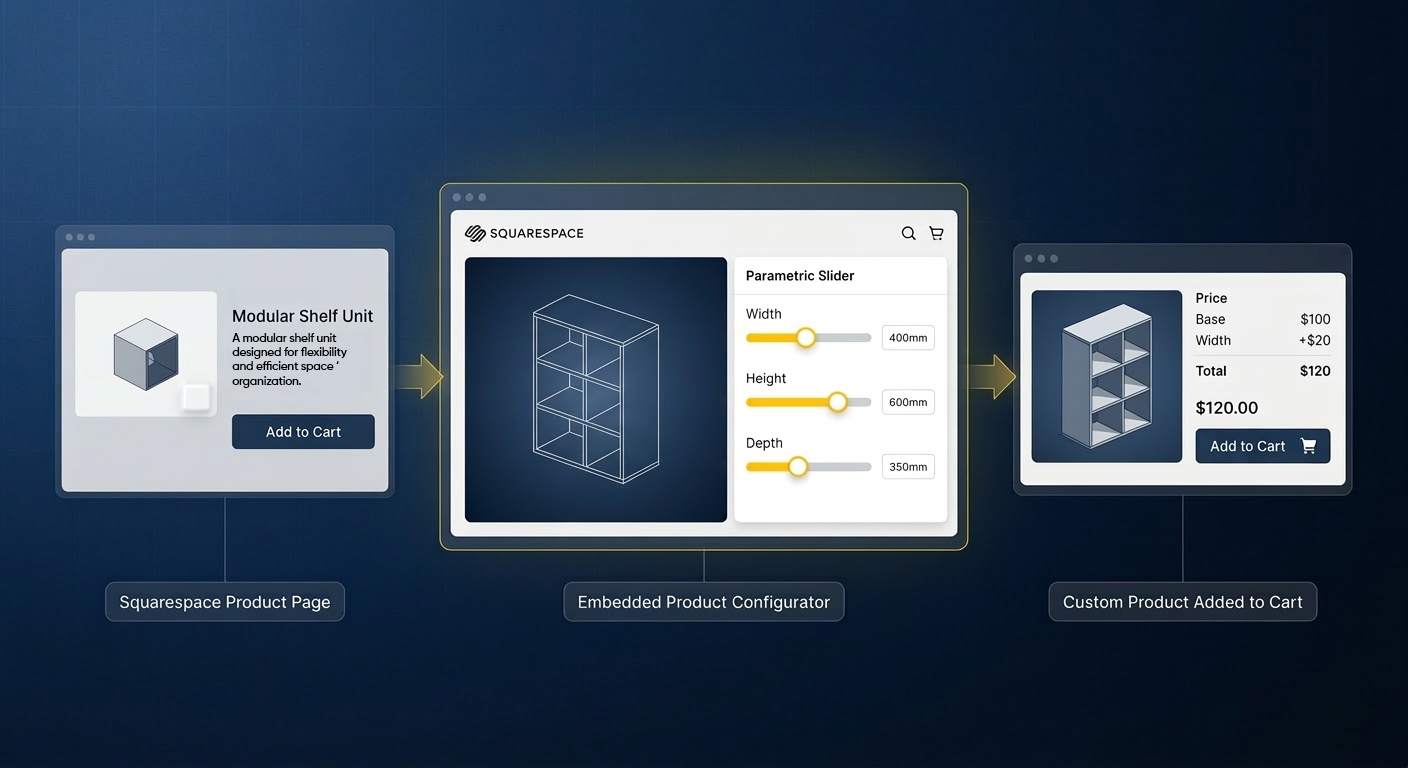
What Customers Experience
Once embedded, the configurator appears as a seamless part of your Squarespace store. Customers interact with a photorealistic 3D model directly on your product page. They rotate the model, swap materials, adjust dimensions, and watch the price update in real time. Built-in validation rules prevent invalid configurations — a customer cannot select a shelf span wider than the material can support, or pair incompatible options.
This guided experience does three things simultaneously: it increases average order value by encouraging customers to explore premium options (the psychology of customisation shows customers pay 20% more for products they help design), it reduces returns by ensuring customers see exactly what they will receive, and it eliminates back-and-forth quoting for custom dimensions. According to Threekit, 3D product visualisation reduces ecommerce returns by 35–50%.
Production-Ready Output
For Squarespace merchants who manufacture their own products, the configurator does more than sell — it streamlines production. Every customer configuration automatically generates manufacturing data: cut lists, bills of materials, DXF files for CNC machines, and detailed production drawings. This design-to-fabrication pipeline eliminates the manual step where someone re-interprets a sales order into workshop instructions. The customer's exact specifications flow directly from the browser to the factory floor.
Mobile and Performance
Squarespace sites are known for clean, responsive design, and your configurator needs to match. BeeGraphy's embeddable configurators are fully responsive and optimised for mobile devices, which matters because over 60% of ecommerce traffic now comes from mobile. The configurator loads asynchronously so it does not block your page's initial render, and the 3D engine is optimised for smooth performance even on mid-range smartphones.
Getting Started
Adding a product configurator to your Squarespace store is the fastest way to offer true product customisation without migrating to a different platform. Start from an existing template in the configurator library, configure your product's options and pricing rules, and embed the result on your Squarespace page — all in under a day.
Ready to bring interactive 3D configuration to your Squarespace store? Contact Configurator.tech for a free consultation, or explore our pricing plans to get started immediately.