
'%3e%3cpath%20d='M15.1003%2043.5001C33.2091%2043.5001%2043.1166%2028.4935%2043.1166%2015.4838C43.1166%2015.062%2043.1072%2014.6307%2043.0884%2014.2088C45.0157%2012.815%2046.679%2011.0886%2048%209.11072C46.205%209.90932%2044.2993%2010.4309%2042.3478%2010.6576C44.4026%209.42594%2045.9411%207.49107%2046.6781%205.21166C44.7451%206.35724%2042.6312%207.16535%2040.4269%207.60134C38.9417%206.02324%2036.978%204.97835%2034.8394%204.62822C32.7008%204.27809%2030.5064%204.64222%2028.5955%205.66431C26.6846%206.68641%2025.1636%208.30953%2024.2677%2010.2827C23.3718%2012.256%2023.1509%2014.4694%2023.6391%2016.5807C19.725%2016.3843%2015.8959%2015.3675%2012.4%2013.5963C8.90405%2011.8251%205.81939%209.339%203.34594%206.29916C2.0888%208.46661%201.70411%2011.0314%202.27006%2013.4723C2.83601%2015.9132%204.31013%2018.047%206.39281%2019.4401C4.82926%2019.3905%203.29995%2018.9695%201.93125%2018.212V18.3338C1.92985%2020.6084%202.7162%2022.8133%204.15662%2024.5737C5.59704%2026.334%207.60265%2027.5412%209.8325%2027.9901C8.38411%2028.3864%206.86396%2028.4441%205.38969%2028.1588C6.01891%2030.115%207.24315%2031.8259%208.89154%2033.0528C10.5399%2034.2797%2012.5302%2034.9613%2014.5847%2035.0026C11.0968%2037.7423%206.78835%2039.2284%202.35313%2039.2213C1.56657%2039.2201%200.780798%2039.1719%200%2039.077C4.50571%2041.9676%209.74706%2043.5029%2015.1003%2043.5001Z'%20fill='%23F7F7F7'/%3e%3c/g%3e%3cdefs%3e%3cclipPath%20id='clip0'%3e%3crect%20width='48'%20height='48'%20fill='white'/%3e%3c/clipPath%3e%3c/defs%3e%3c/svg%3e)



The product configurator market is booming. The global CPQ software market reached $3.49 billion in 2025 and is projected to grow at a 16.5% CAGR through 2035, while the visual product configurator segment is expected to expand from $1.2 billion in 2026 to $3.5 billion by 2033. That explosive growth means more platforms competing for your business than ever before — and choosing the wrong one can lock you into years of limitations, migration headaches, and missed revenue.
A product configurator is not a disposable tool. It sits at the intersection of your product catalogue, pricing logic, e-commerce platform, and manufacturing workflow. Switching platforms later is expensive and disruptive. The decision you make today will shape your customer experience, operational efficiency, and competitive position for years. This guide walks through the nine criteria that matter most, backed by data and practical experience, so you can evaluate platforms with confidence. If you are still exploring what product configurators do at a fundamental level, start with our complete guide to product configurators.
1. 3D Rendering Quality and Performance
The visual experience is the first thing your customers interact with, and it directly impacts conversions. Shopify's data shows that products with 3D content see a 94% higher conversion rate compared to static images. But not all 3D rendering is equal.
Evaluate whether the platform uses WebGL-based client-side rendering (faster, runs in the browser) or cloud rendering (higher fidelity but potentially slower). The best platforms offer both. Check mobile performance specifically — over 60% of e-commerce traffic is mobile, and a configurator that stutters on a phone is a configurator that loses sales. Look for photorealistic materials, real-time lighting, and smooth orbit controls. Ask for a demo on a mid-range Android device, not just a high-end laptop. Read our comparison of 2D vs 3D configurators to understand the visual fidelity tradeoffs.
2. Parametric Capabilities
There is a fundamental difference between a configurator that swaps visual options — selecting a colour or a material swatch — and one that supports true parametric design. Parametric configurators allow customers to change dimensions, geometries, and structural properties in real time, with the 3D model updating dynamically to reflect every adjustment.
This matters enormously for industries like furniture, cabinetry, doors and windows, and industrial equipment. A kitchen cabinet configurator that only lets you pick from three fixed widths is fundamentally different from one that lets a customer specify 847mm and watch the model, pricing, and manufacturing output adapt instantly. If your products involve custom dimensions, ask whether the platform supports parametric constraints, min/max value ranges, and dependent geometry updates. If it only handles visual swatches, it will limit your product offering from day one.
3. Pricing Engine
A configurator without accurate pricing is a toy, not a business tool. Aberdeen Group research shows that companies using CPQ solutions with integrated pricing achieve deal sizes 105% larger than those without. Your pricing engine needs to handle real-time price updates as customers change options, conditional logic (material A costs more with finish B), volume discounts, multi-currency support for international sales, and tax calculation.
Ask whether pricing rules can be managed by your team without developer involvement. Some platforms require code changes for every pricing adjustment, which creates bottlenecks and ongoing costs. Learn more about why real-time pricing in configurators is a conversion multiplier.
4. Production Output
This is where many configurator platforms reveal their limitations. A platform that generates beautiful 3D visuals but cannot produce manufacturing-ready output — BOMs (bills of materials), cut lists, DXF files, STL files for 3D printing, or CNC-ready specifications — creates a disconnect between what the customer orders and what your factory produces.
That disconnect means manual translation of orders into production specs, which introduces errors, delays, and cost. Industry data shows CPQ software eliminates 40% of human errors in configuration and quoting. But those gains only materialise if the configurator's output feeds directly into your production workflow. Ask specifically: does the platform generate BOMs? Can it export DXF or STL? Does it integrate with ERP or MES systems? Our article on design-to-fabrication configurator output covers this in depth.
5. Integration Options
How a configurator connects to your existing technology stack determines whether it accelerates your business or becomes an isolated silo. Evaluate three integration dimensions: embed-based integration (can you drop the configurator into any webpage via iframe or web component?), API access (can your systems programmatically interact with configurations, pricing, and orders?), and native e-commerce integrations (does it plug into Shopify, WooCommerce, or headless commerce platforms without custom development?).
A platform that only works as a standalone application creates friction. You want customers configuring products within your existing shopping experience, not being redirected to a third-party domain. The best platforms offer flexible embedding that works with any frontend framework alongside native plugins for major e-commerce platforms.
6. No-Code vs Developer-Required Setup
The setup model determines your speed to market and your ongoing operational costs. Some platforms require 3D developers, custom scripting, or professional services engagements costing $10,000-$50,000 just to launch a single product configurator. Others offer no-code visual builders where product managers or designers can create and update configurators without writing a line of code.
The data is clear on the time-to-market advantage: no-code platforms typically deliver a working configurator in days or weeks, versus months for custom-built solutions. But no-code does not mean no-power. The best no-code platforms still support advanced parametric logic, complex pricing rules, and production output. Read our detailed breakdown of no-code vs custom-built configurators to understand the tradeoffs.
7. Scalability
A configurator that works smoothly for 100 daily users may collapse under 10,000 concurrent sessions during a product launch or promotional event. Scalability covers two dimensions: traffic scalability (can the infrastructure handle enterprise-level load without degradation?) and catalogue scalability (can it manage hundreds or thousands of configurable products with complex option trees without becoming unmanageable?).
Ask about CDN infrastructure, server-side rendering capabilities, and whether the platform uses auto-scaling cloud architecture. For catalogue complexity, ask how the platform handles products with thousands of possible combinations. Some platforms slow dramatically as option complexity increases, while others are architecturally designed for combinatorial scale.
8. Total Cost of Ownership
The sticker price of a configurator platform is often a fraction of the true cost. Evaluate the complete cost picture: platform subscription or licensing fees, implementation and setup costs (professional services, 3D modelling), ongoing maintenance and content updates, developer costs for customisation or integration work, transaction fees or per-configuration charges, and costs that scale with traffic or catalogue size.
Some platforms advertise low monthly fees but charge per configuration render, per API call, or require expensive professional services for any product changes. Others include unlimited configurations and renders in a flat subscription. For businesses scaling rapidly, the difference between these pricing models can be tens of thousands of dollars annually. The ROI analysis of product configurators shows that the right platform pays for itself quickly — but only if you account for all costs upfront. Review the pricing plans to see transparent, all-inclusive pricing.
9. Support and Ecosystem
A configurator platform is only as good as the support surrounding it. Evaluate: documentation quality (is there comprehensive, up-to-date documentation with tutorials and API references?), template library (can you start from pre-built configurator templates rather than building from scratch?), community and ecosystem (are there forums, third-party integrators, or agencies experienced with the platform?), and professional services (does the vendor offer hands-on implementation support when you need it?).
Platforms with thin documentation and no templates mean longer onboarding times and higher dependency on vendor support. A rich ecosystem of pre-built configurator templates dramatically reduces time to first deployment and gives you proven starting points for common product categories.
Why Configurator.tech Checks Every Box
We built Configurator.tech (powered by BeeGraphy) specifically to address every criterion in this guide. The platform delivers photorealistic WebGL rendering with full mobile optimisation, true parametric design capabilities for custom dimensions and geometries, a no-code visual builder that handles complex pricing rules and conditional logic, manufacturing-ready output including BOMs, cut lists, DXF, and STL exports, native integrations for Shopify, WooCommerce, and headless commerce via embed and API, enterprise-grade infrastructure that auto-scales with traffic, and transparent flat-rate pricing with no per-render or per-configuration charges.
Rather than taking our word for it, see how we compare directly against other platforms. Our Configurator.tech vs ShapeDiver and Configurator.tech vs Threekit comparison pages provide detailed, feature-by-feature breakdowns so you can evaluate the differences yourself. Understanding the distinction between product configurators and CPQ software will also help you determine exactly which capabilities your business needs.
Making Your Decision
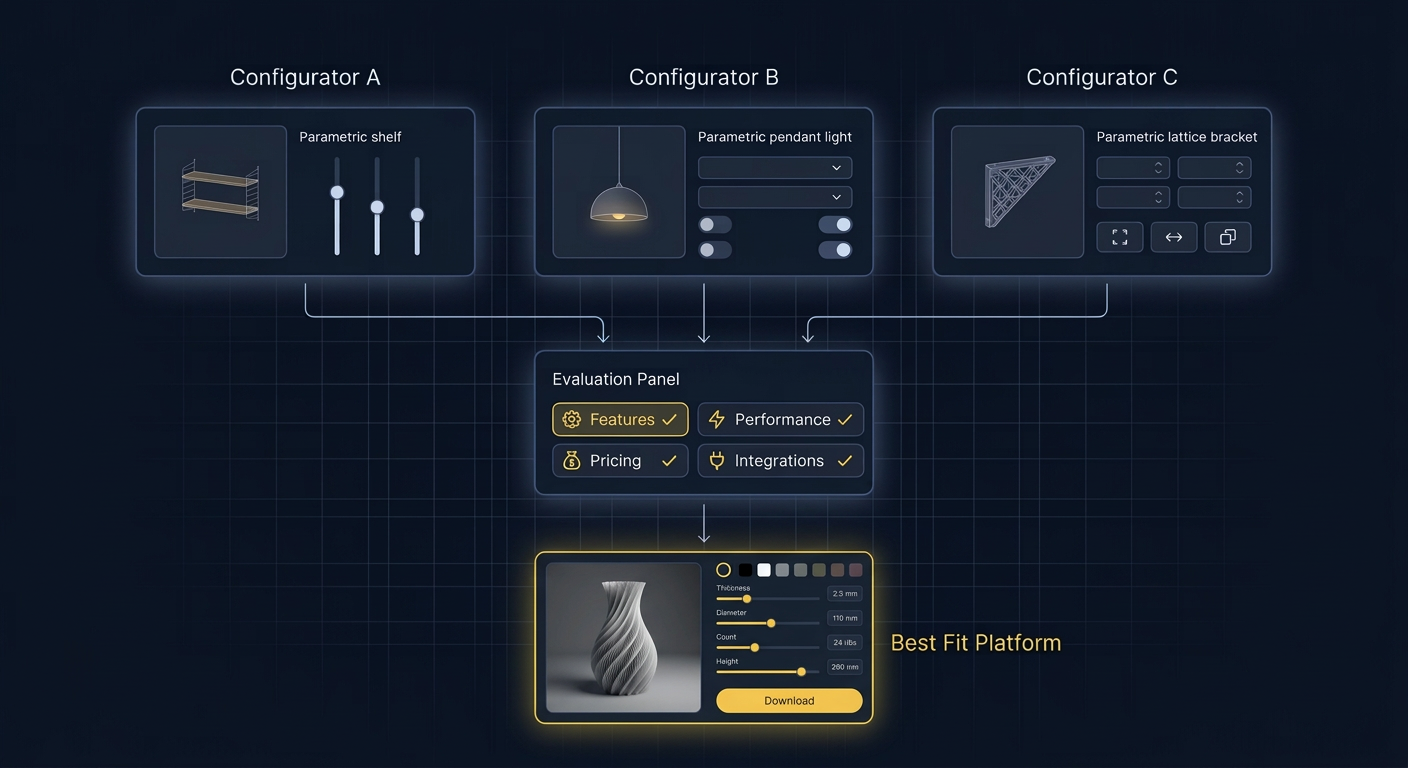
Choosing a product configurator platform is a strategic decision with long-term implications. The nine criteria above — rendering quality, parametric capabilities, pricing engine, production output, integration options, setup model, scalability, total cost of ownership, and support ecosystem — give you a structured framework for evaluation. Weight each criterion based on your specific business needs: a jewellery brand may prioritise rendering quality, while a cabinet manufacturer may prioritise production output and parametric design.
The configurator market will continue to grow rapidly. Mordor Intelligence projects the CPQ market alone will grow at 15.74% CAGR through 2031, meaning more options will emerge every year. But the businesses that choose well now — investing in a platform that scales with them rather than constraining them — will compound their competitive advantage as the market matures. Get in touch with our team to discuss which criteria matter most for your products and see how Configurator.tech delivers on each one.